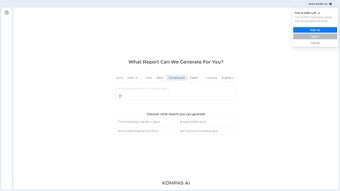

Download Kompas AI – Secure Unlimited GPT‑4 AI Agent Platform for Teams
Overview of Kompas AI
Kompas AI is a cloud‑native, web‑based AI platform that brings the power of unlimited GPT‑4 directly to professional teams, data‑driven analysts, and developers who need a secure, collaborative environment for automating complex, multi‑step workflows. The service is built around a flexible “AI agent” concept: each agent combines natural‑language reasoning with an embedded code interpreter capable of executing Python, JavaScript, R, and SQL scripts in real time. This dual capability lets users describe a problem in plain English, receive an instant code draft, and then fine‑tune the script without ever leaving the browser.
Security and privacy sit at the core of Kompas AI’s design. All data—uploaded files, prompts, generated outputs—remains isolated within the user’s workspace and is never used to train the underlying language model. The platform complies with GDPR, CCPA, ISO 27001, and SOC 2 Type II standards, offering encryption in transit (TLS 1.3) and at rest (AES‑256).
Enterprises can choose data‑residency zones in the EU, US, or APAC, and enforce granular role‑based access controls, multi‑factor authentication, and single‑sign‑on via SAML, Okta, or Azure AD.
From a productivity standpoint, Kompas AI eliminates the typical token‑limit frustrations of other AI services by providing truly unlimited GPT‑4 queries on every plan. The platform also integrates live Google Search results, ensuring that responses reflect the most up‑to‑date information available on the web.
Multi‑language support (English, Spanish, Mandarin, German, French, and more) makes it accessible to global teams, while its responsive design works equally well on desktops, laptops, tablets, and smartphones. Whether you are cleaning massive CSV datasets, generating marketing copy, prototyping machine‑learning models, or orchestrating end‑to‑end business processes, Kompas AI offers a unified, privacy‑first workspace that scales from a solo freelancer to an enterprise with thousands of users.
Key Features That Differentiate Kompas AI
- Unlimited GPT‑4 Access – No token caps, no throttling; every query enjoys the full capabilities of GPT‑4.
- Embedded Code Interpreter – Write, run, and debug Python, JavaScript, R, or SQL scripts directly in the browser.
- AI Agent Builder – Create reusable agents with custom prompts, code templates, and permission settings.
- Team‑Centric Collaboration – Role‑based permissions, secure sharing links, and version‑controlled project workspaces.
- Data‑Privacy First Architecture – All user data stays on your account; it is never fed back into model training.
- Live Google Search Integration – Real‑time web results are blended into AI responses for up‑to‑date answers.
- Multi‑Language UI & Output – Supports English, Spanish, Mandarin, German, French, and additional languages.
- Cross‑Device Compatibility – Fully responsive design works on Windows, macOS, Linux, iOS, and Android browsers.
- Advanced Data Toolkit – Built‑in functions for cleaning, transformation, outlier detection, statistical summarization, and visualization.
- Rapid “Solve Now” Mode – Turn a natural‑language problem description into executable code with a single click.
- Secure Expiring Links – Share read‑only or edit links that automatically expire after a defined period.
- Low‑Bandwidth Mode – Optimized UI for slower connections, ensuring usability on 3G/4G networks.
Together, these features transform Kompas AI from a simple chatbot into a full‑fledged development and automation hub. Unlimited GPT‑4 access removes the constant worry about running out of tokens, while the code interpreter bridges the gap between conversational AI and actionable scripts. The AI Agent Builder lets teams codify best practices and share them across departments, fostering a culture of reusable intelligence.
Security‑first design choices—such as isolated data pipelines and optional data‑residency—address the most stringent compliance requirements, making the platform suitable for regulated industries like finance, healthcare, and legal services. Finally, the responsive UI and cross‑device support mean that analysts can launch a data‑cleaning job on a laptop at the office, review results on a tablet during a meeting, and make final tweaks from a smartphone while on the move. This combination of power, privacy, and portability positions Kompas AI as a leading tool for modern, data‑centric organizations.
Getting Started: Installation, Compatibility & First‑Run Workflow
Zero‑Installation Onboarding
Because Kompas AI is delivered entirely through a web browser, there is no traditional download or installer to manage. Users simply need a modern browser (Chrome, Edge, Firefox, or Safari) and an internet connection. The platform automatically detects the operating system and adjusts the UI for optimal performance, whether you are on Windows 10/11, macOS Ventura, a recent Linux distribution, iOS 15+, or Android 11+. A minimum screen resolution of 1280 × 720 is recommended for the best layout experience.
Step‑by‑Step Account Setup
- Create an Account – Visit kompas.ai, click “Sign Up”, and register via email, Google, or Microsoft. A verification email confirms ownership.
- Configure Your Workspace – After logging in, set a workspace name, choose your default UI language, and optionally connect corporate SSO (SAML, Okta, Azure AD) for centralized authentication.
- Select a Subscription – The free tier offers unlimited GPT‑4 queries and 5 GB of encrypted storage. Paid plans start at $19 / month for 50 GB, priority support, and advanced audit logs.
First‑Run Workflow: Building Your First AI Agent
Once inside the dashboard, you’ll see three primary panels: Agents, Data Hub, and Projects. To create an agent, click the “New Agent” button in the Agents tab, give it a clear name (e.g., “Customer Churn Predictor”), and confirm GPT‑4 as the underlying model. In the description field, type a natural‑language goal such as “Analyze the CSV of customer activity, identify churn risk factors, and output a ranked list with confidence scores.” After saving, Kompas AI auto‑generates a starter Python script that loads the CSV, performs basic preprocessing, and applies a logistic regression model.
Drag your data file from the Data Hub onto the agent’s execution window or use the “Upload” button. The interpreter runs the script, displays a preview of the results, and offers follow‑up suggestions like “Plot the ROC curve” or “Export the results to Excel.” You can edit the generated code directly, add custom functions, or ask the agent additional questions. Each interaction is logged, providing a full audit trail that can be exported for compliance reviews.
Team Collaboration & Project Management
In the Projects tab, create a new project, invite teammates by email, and assign roles (Owner, Editor, Viewer). All agents, data sets, and comments are shared within the project context, and version control lets you revert to any prior state with a single click. To enforce data governance, enable “Data Retention Policies” which automatically purge files older than a specified period or after project completion.
Secure sharing links can be generated with expiration dates, ensuring that external stakeholders only have temporary access.
Because the entire environment lives in the cloud, there is no need for VPNs, local server maintenance, or manual updates. Kompas AI continuously rolls out improvements, security patches, and new language runtimes without any action required from the user, guaranteeing that you always work with the latest, most secure version of the platform.
Supported operating systems include Windows 10/11, macOS Ventura or later, major Linux distributions, iOS 15+, and Android 11+. The service runs on any device capable of rendering modern HTML5, CSS3, and JavaScript, making it truly device‑agnostic.
Pros, Cons & Frequently Asked Questions
Pros
- Unlimited GPT‑4 usage removes cost‑per‑token concerns.
- In‑browser code interpreter converts natural language into runnable scripts instantly.
- Robust team‑management tools enable secure, role‑based collaboration.
- Strict data‑privacy guarantees meet GDPR, CCPA, and industry‑specific regulations.
- Live Google Search integration keeps AI responses current.
- Multi‑language UI widens accessibility for global teams.
- Responsive design works on any device without installation.
- Low‑bandwidth mode ensures usability on slower connections.
Cons
- Free tier limited to 5 GB storage, which may be insufficient for large datasets.
- Advanced data‑visualization widgets require a paid subscription.
- No native offline client; continuous internet access is mandatory.
- Users unfamiliar with programming may face a learning curve with the code interpreter.
- Private‑cloud deployment for air‑gapped environments is available only on request and may involve additional cost.
FAQ – Your Most Common Questions Answered
Is Kompas AI truly free to use?
Kompas AI offers a free tier with unlimited GPT‑4 queries and 5 GB of encrypted storage, ideal for freelancers or small teams. Paid plans add more storage, priority support, and advanced audit features.
Can I run Kompas AI on a corporate intranet without internet?
The standard service is cloud‑only, but Kompas AI offers a private‑cloud deployment option for organizations that need an air‑gapped environment. Contact the sales team for pricing and setup details.
How does the platform ensure my data is not used for AI training?
All user‑uploaded data, prompts, and generated outputs remain isolated within your workspace and are never fed back into the underlying language model. The architecture separates inference pipelines from training pipelines, guaranteeing strict data isolation.
What programming languages does the code interpreter support?
The interpreter natively supports Python 3.10+, JavaScript (Node.js), R, and SQL. Additional runtimes can be requested, and the platform continuously expands its language catalog based on community feedback.
Is there a way to export my AI agents for use outside the platform?
Yes. Each agent can be exported as a JSON configuration file that includes the prompt, code template, and permission settings. This file can be imported into another Kompas AI workspace or integrated via the public API.
Professional Review Summary
The platform’s blend of unlimited GPT‑4, an in‑browser code interpreter, and enterprise‑grade security makes it a compelling choice for data‑centric teams that prioritize privacy without sacrificing productivity.
Conclusion: Why Kompas AI Is the Right Choice for Modern Teams
In a market flooded with AI chatbots that either limit usage or compromise data security, Kompas AI stands out by delivering unlimited GPT‑4 capabilities inside a privacy‑first, collaborative workspace. Its AI Agent Builder transforms conversational prompts into production‑ready scripts, while the embedded interpreter ensures those scripts run instantly without the need for separate IDEs or local environments. The platform’s compliance‑ready architecture—featuring encryption, role‑based access, SSO, and selectable data‑residency—addresses the most demanding regulatory landscapes, giving decision‑makers confidence that sensitive information never leaves the organization’s control.
The zero‑installation onboarding experience means teams can start automating workflows within minutes, and the responsive UI guarantees that the same experience is available on any device, from a high‑end workstation to a mobile phone on a commuter train. While the free tier provides ample power for small projects, the scalable paid plans ensure that growing organizations can expand storage, add advanced visualization tools, and benefit from priority support as needed.
If your organization is looking for a robust, secure, and truly collaborative AI assistant that bridges the gap between conversational intelligence and executable code, Kompas AI offers a comprehensive solution that aligns with both productivity goals and strict compliance requirements. Start your free trial today and see how unlimited GPT‑4, built‑in data tools, and privacy‑first design can accelerate your team’s automation journey.



.png)



